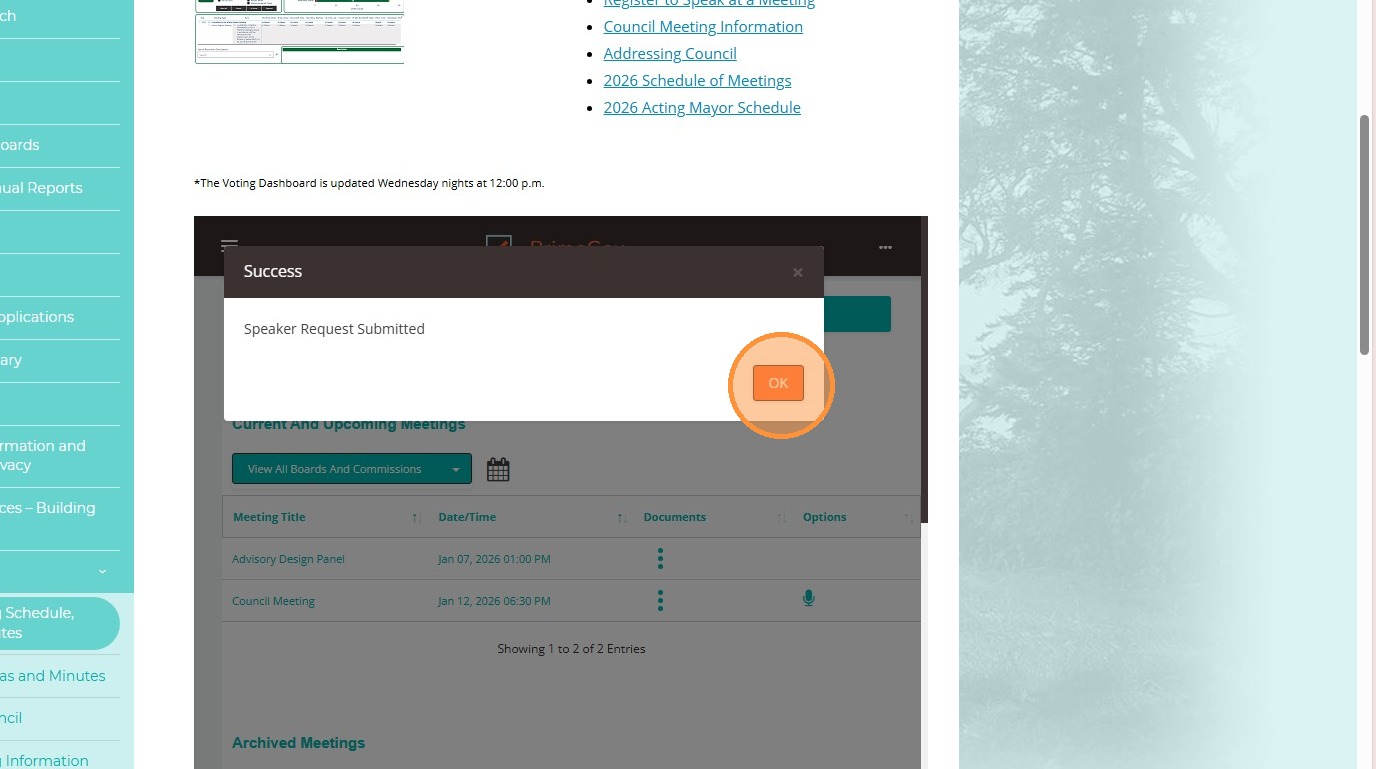

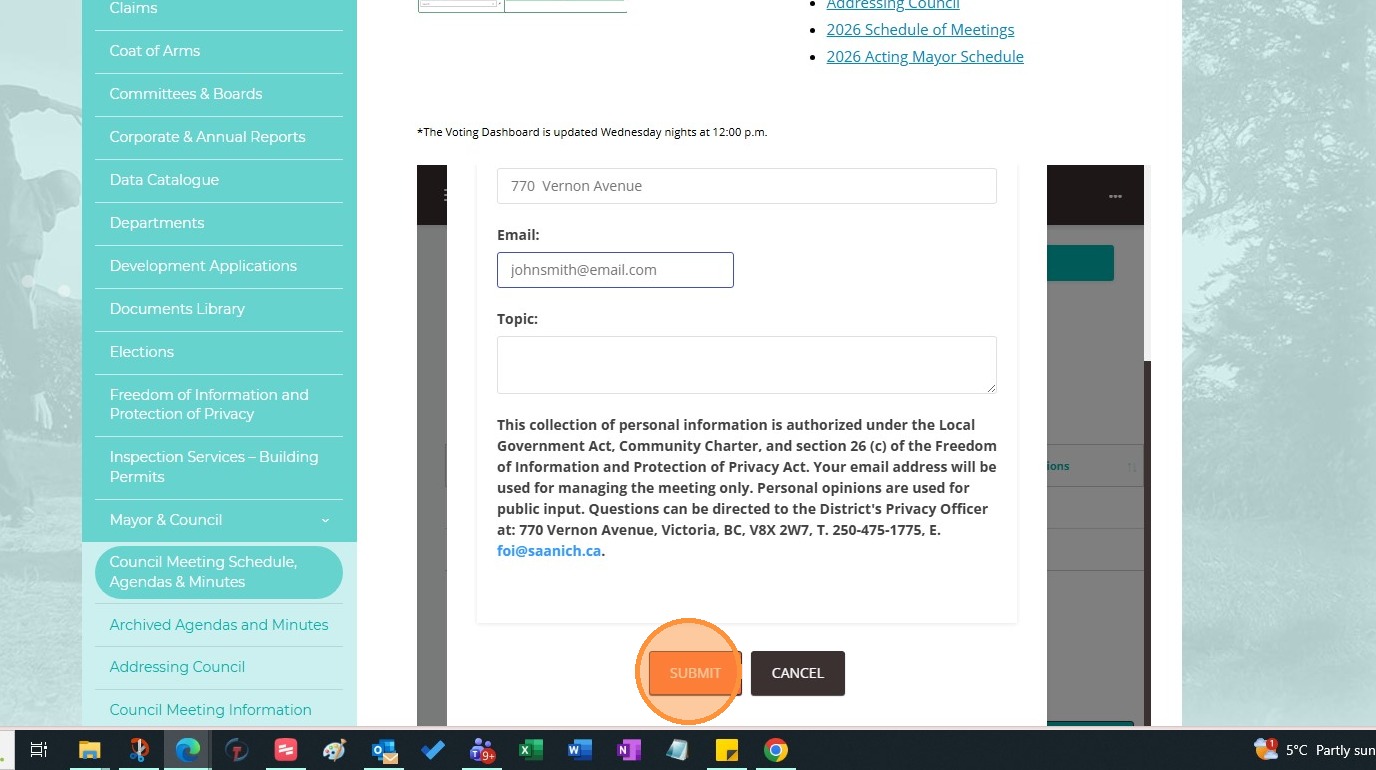
**Although not yet marked a "required field", don't forget to input your email address so we can send you the MS Teams information**
How to Register to Speak at a Meeting
This guide provides a step-by-step workflow of requesting to speak at Council, Committee of the Whole and Public Hearing meetings, ensuring users can easily follow along.
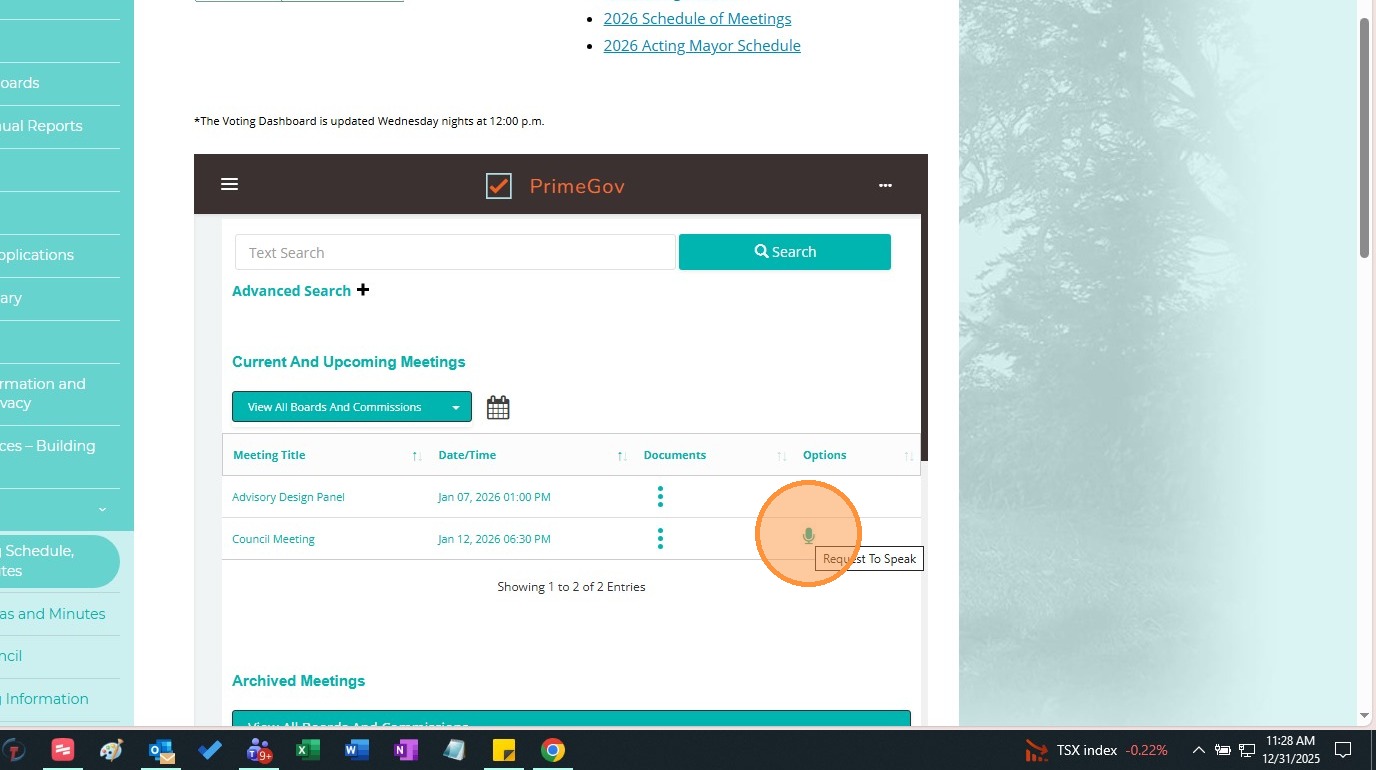
1. Click the microphone icon "Request To Speak" for the meeting at which you wish to speak. If there is no microphone, then that meeting does not allow for public input (i.e. Advisory Committee meetings).
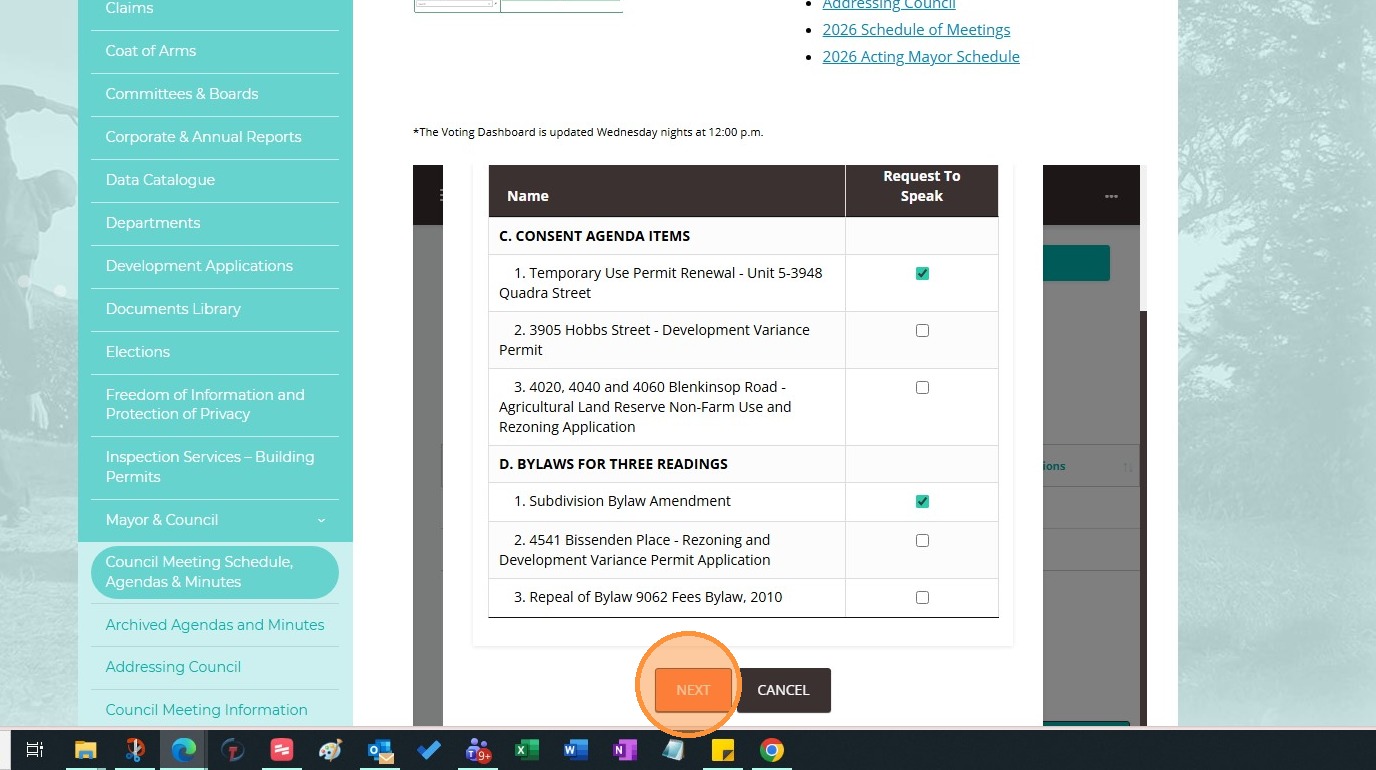
2. All items available for Public Input will appear in a list. Place a tick in the box(es) of the items you wish to speak to. Click "Next."
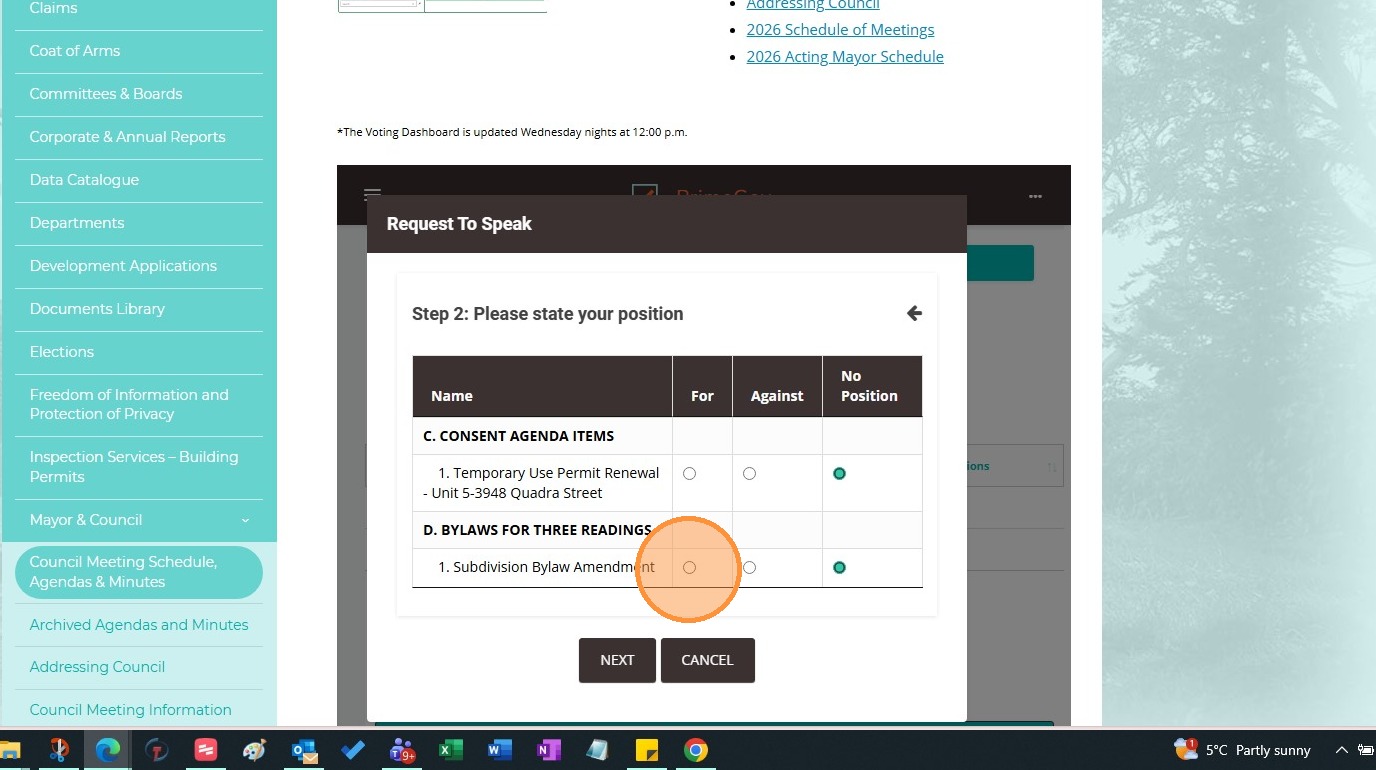
3. On the next screen you have the option to indicate your position. You can choose "For", "Against" or "No Position". Click "Next."
4. Enter your first and last name, address (in as much detail as you are comfortable, i.e. 770 Vernon Avenue, or Uptown Area, or Saanich Resident) and email address. We use your email address to send you the meeting information. The topic field is for when we have forums such as Town Halls.

5. Click "Submit."
6. A confirmation message will appear, click "Okay."